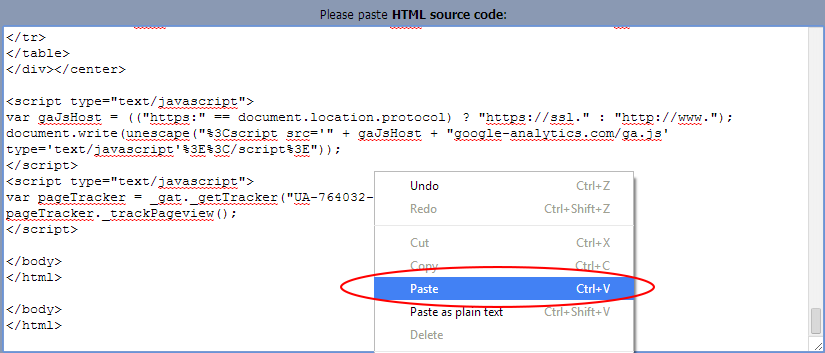
How to input your data
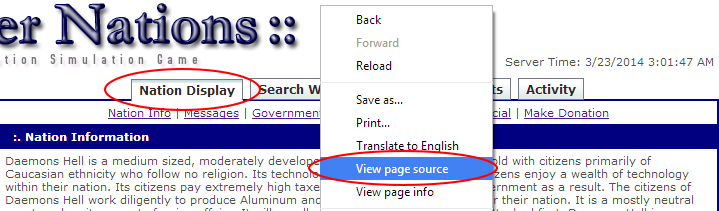
At the top of the nation page, select "Nation Display". Then, right click on an empty part of the page, and select "Page Source" or "View Page Source". The picture depicts what you might see if you are using Chrome, but this applies to Internet Explorer and Firefox as well.
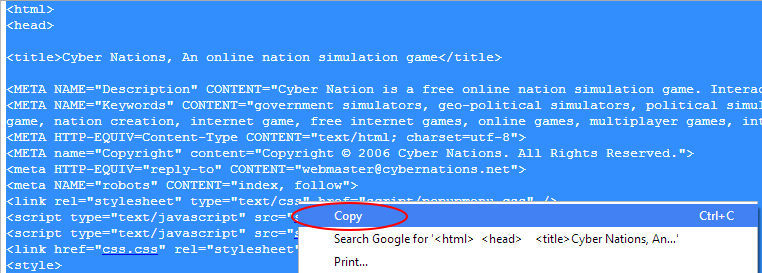
You should then have a new window open up. Copy everything that you see in this window (an easy way is to right click, and hit "Select all").
Then paste everything into the empty space. If you receive any errors, let a member of your Brigade staff know!